Welcome to Not Just Analytics! Before you start analyzing metrics and performance, you’ll need to add your Instagram profile to the platform.
In this tutorial, we’ll guide you through the process step by step. We promise it’s quick and easy!
1️⃣ Go to the home screen
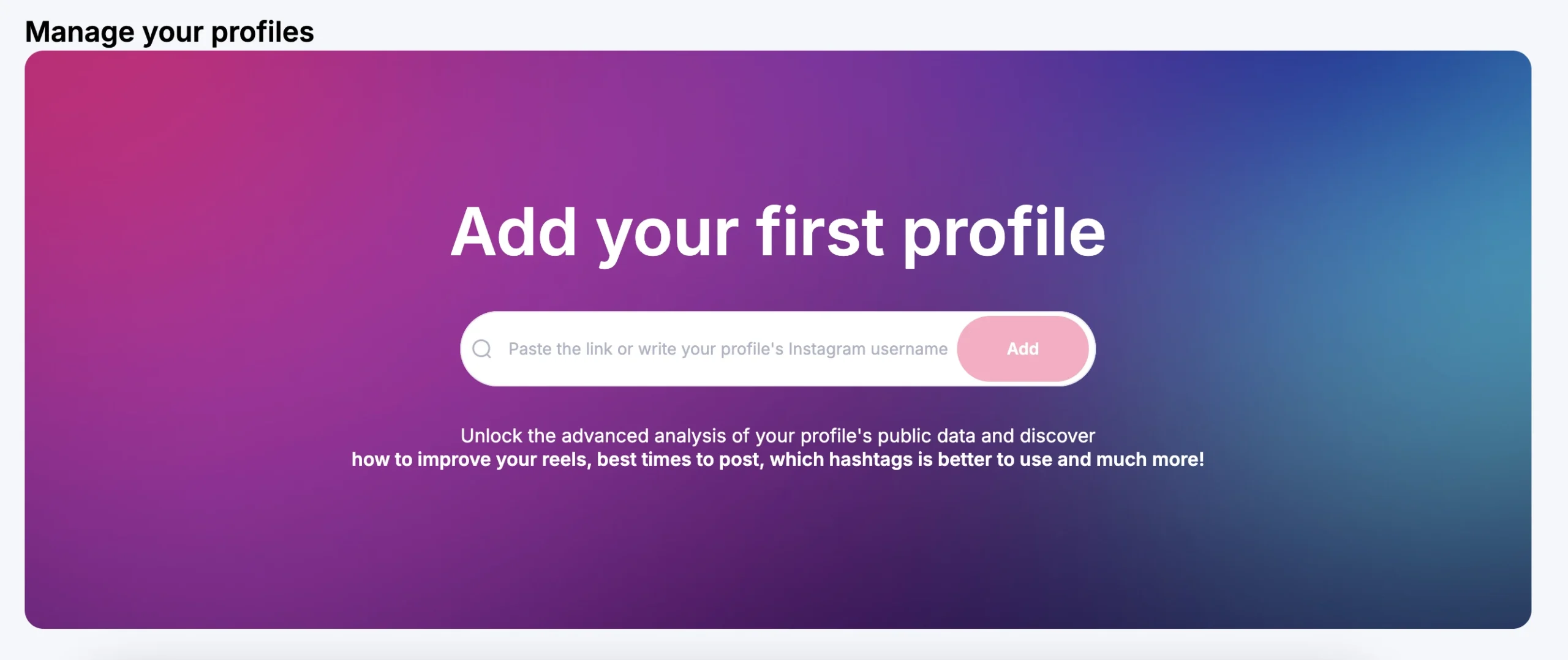
If you’re using NJL for the first time, upon logging in you’ll see an invite you to add your first profile. Right here, you’ll find a text field where you can type in your Instagram username
2️⃣ Enter your Instagram profile username
At this stage, in the dedicated text field, type in the Instagram username for the profile you want to analyze.
3️⃣ Confirm to add the profile to NJL
After typing in the username, click the ‘Add’ button.
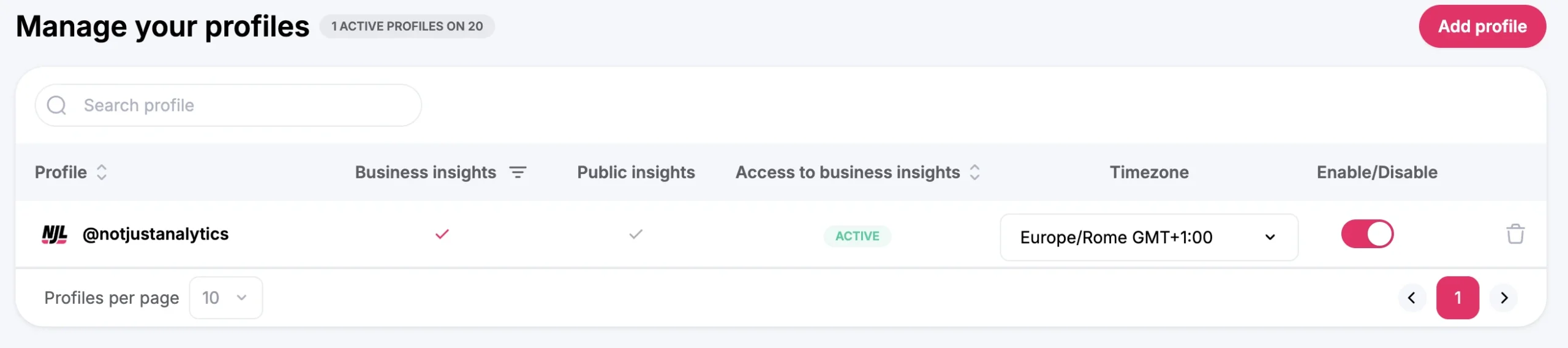
📌 Note: at this point, NJL may only show you public data for your profile. If you want to unlock all features and view more detailed data—like insights on your posts and Stories— you’ll need to activate business data.
4️⃣ Activate the profile
Now that the profile has been added, click ‘Connect’ to enable business data.
Once the profile is activated, you’ll be able to see its dashboard and start exploring all the metrics available in your subscription.
What If business data isn’t connected yet?
If you only see public data after adding your profile and you don’t have access to business data, don’t worry!
To link your business data and unlock all of NJL’s features, follow the tutorial:
➡️ “How to link your profile’s business insights”
Conclusion
Congratulations! You’ve just added your first Instagram profile to NJL. 🎉
You can now begin exploring your profile’s data and discover valuable insights about your performance. If you want to add more profiles or enable business data, move on to the next tutorials!
Have fun working with Not Just Analytics! 🚀





 Analyse business insights and create automatic reports