How to use hashtags? The ultimate guide to boosting your Instagram SEO strategy
February 11, 20255 min read

Instagram has launched a new feature called the Follower Filter, designed to help users eliminate spam profiles from their followers. This innovation aims to reduce the number of unwanted and inactive followers. The Follower Filter is already available and activatable on many profiles, and it’s truly among the most exciting new features. Here at NJL, […]
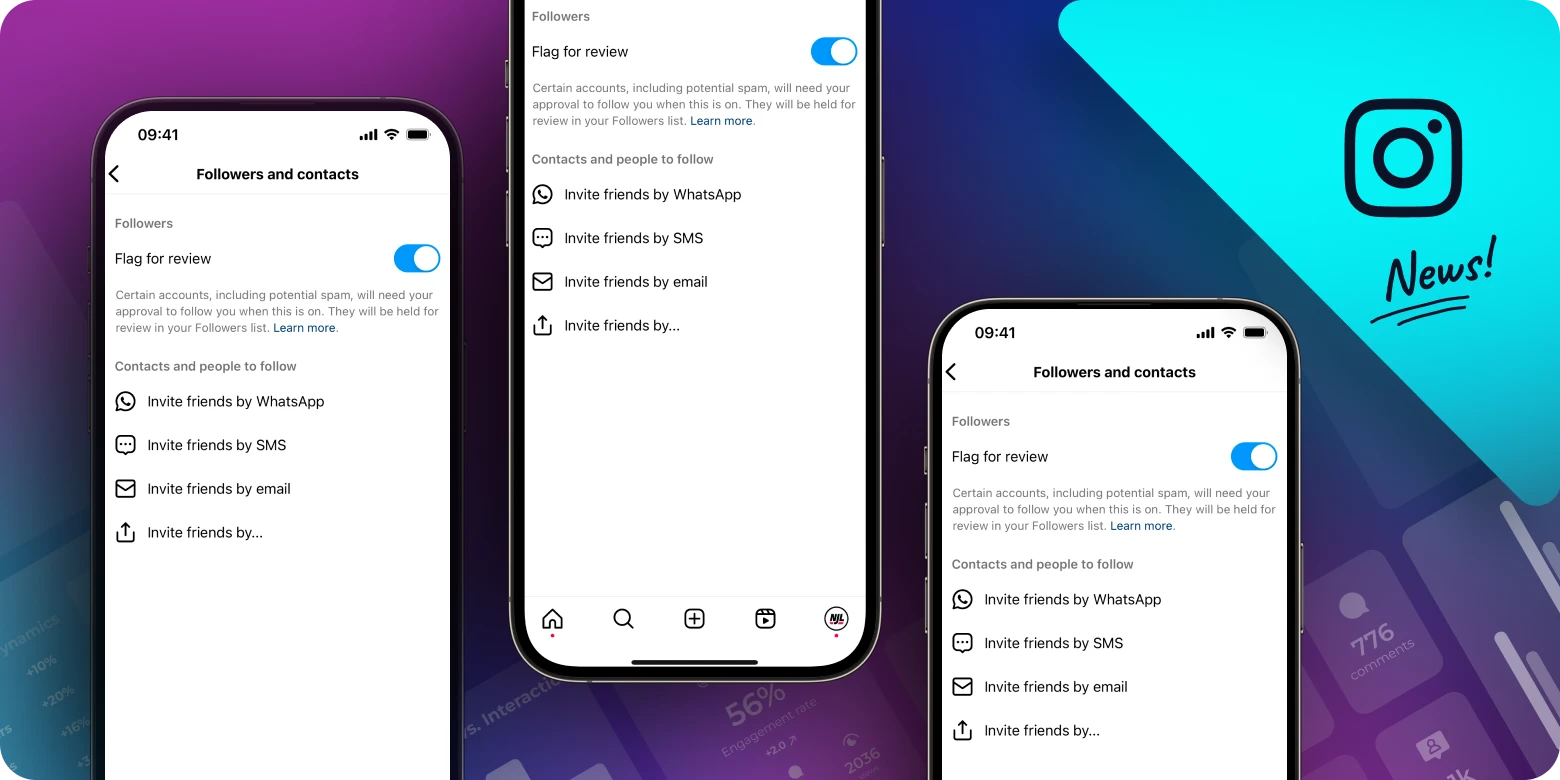
Instagram has launched a new feature called the Follower Filter, designed to help users eliminate spam profiles from their followers. This innovation aims to reduce the number of unwanted and inactive followers. The Follower Filter is already available and activatable on many profiles, and it’s truly among the most exciting new features. Here at NJL, we’re already using it and recommend you do the same!
PROS
The Follower Filter offers several advantages that can significantly enhance your Instagram experience:
✅ Instagram does the filtering for you: With this feature, you can bulk remove profiles flagged by Instagram as inactive or spam. This allows you to maintain a cleaner, more authentic follower list while saving time;
✅ Protection from fake profile attacks: Activating the filter protects you from potential attacks where someone might send fake followers to ruin your profile. This tool provides increased security against malicious activities.
CONS
However, the Follower Filter also has some disadvantages and potential issues:
❌ Imprecise filtering: The filter is not always accurate and might include non-spam profiles. It’s important to verify profiles before removing them from your followers to avoid eliminating legitimate users;
❌ Limited efficiency: Not all spam profiles get caught by Instagram’s filter. Continuously checking your followers personally remains a smart choice to ensure your follower list is clean.
Imagine having a magic wand to make the so-called fake followers, those that “smell” like spam, and bots disappear with a simple touch.
Once activated, the Follower Filter monitors your followers. If Instagram suspects a profile might be spam, it requires your approval to follow you (or continue following you). The control applies to both existing and new followers. You’ll find a list of profiles to approve or remove within your follower list.
This mechanism ensures that only verified followers can continue to follow you, thereby reducing the presence of spam among your followers and increasing the percentage of interactions your posts receive.
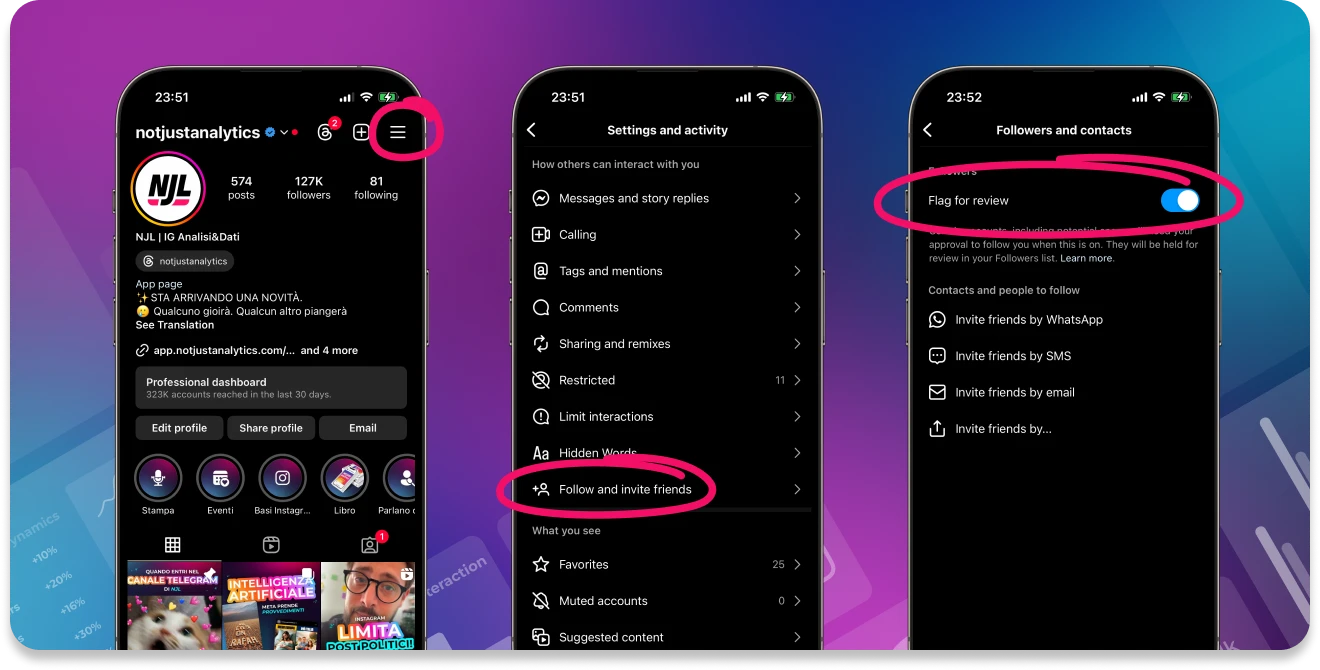
From now on, you can manage the list of profiles to approve or remove directly from your followers list. Just tap on the number of your followers found on your Instagram profile.
The Follower Filter on Instagram is a valuable feature for maintaining an authentic and active audience. The idea is clear: give space to an audience that participates, lives, and interacts with your content, creating a more genuine environment. This way, Instagram effectively curtails the “second-hand market” of fake followers, which, let’s be honest, benefits no one.
Despite some errors in evaluating spam profiles by Instagram’s algorithm, we believe it’s still better to have the Follower Filter active than not.
Therefore, we recommend using the Follower Filter to improve the authenticity of your audience and stimulate meaningful interactions. Remember to regularly check your followers and use this tool in combination with other profile management practices to help you maintain a healthy and engaging account.


 Analyse business insights and create automatic reportsTips about what and when to postFind the best hashtags for your profileCustomised tips